


News & Blogs

What Is the Best Longer Laser Cutter in 2026?

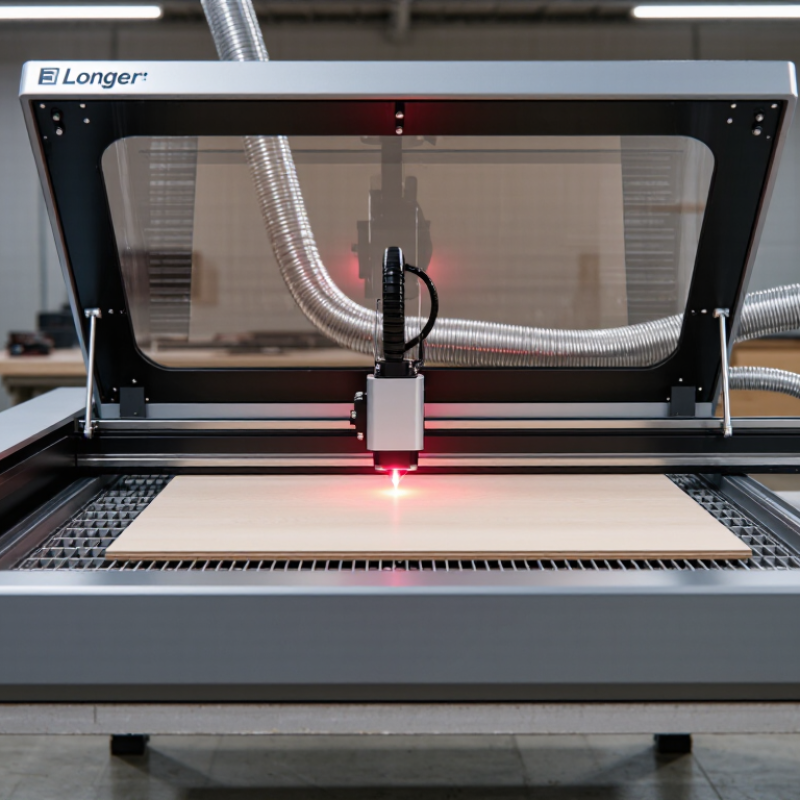
Choosing the best Longer Laser Cutter in 2026 means looking beyond headline wattage. A machine’s real value depends on the work it can handle, its usable bed size, setup, software, and safety features. A larger frame can help with longer panels, but it also needs more workspace and careful alignment. Small details matter. Think of a plywood sheet sitting flat, a laser moving consistently across its surface, and an exhaust system carrying smoke away from the work area.

Industry figures offer context, not a shortcut to a buying decision. Grand View Research estimated the global laser cutting machine market at USD 5.26 billion in 2023 and projected a 7.7% compound annual growth rate from 2024 to 2030. That broad market includes industrial equipment, so its growth does not prove that every desktop model is improving at the same pace. It does show why buyers should compare published specifications with real needs. For this guide, key questions include cutting area, material compatibility, power claims, ventilation, maintenance, and the clarity of the manufacturer’s documentation. Independent tests and user feedback can add useful evidence, though results may vary with material, focus, and settings. No single specification settles it. A machine that looks ideal on paper may be less convenient in a small workshop, and that trade-off deserves a closer look.
What Is the Best Longer Laser Cutter in 2026?

Define Longer Laser Cutters: 455 nm Diode Technology and Common Uses

A 455 nm diode laser cutter uses blue-violet light to heat and remove material along a programmed path. The wavelength is visible, but the beam can still injure eyes. These machines are commonly used for engraving wood, cutting thin plywood, marking coated surfaces, and making craft or workshop parts. Results depend on power, focus, material, and air assist—not wavelength alone.

They are not universal cutters. Clear acrylic often transmits blue light rather than absorbing it, so cutting can be poor. Thick wood may char before the beam passes through. A small test grid on scrap helps reveal useful speed and power settings. Keep the lens clean, secure the workpiece, and use suitable eye protection and ventilation. Smoke is a real hazard, not just an unpleasant smell. In practice, setup takes more patience than many product descriptions suggest.

Tips: Focus on the material surface, then test a small sample. Use an enclosure and extraction suited to your workspace. Never leave an operating laser unattended, even for a quick cut.

Compare 2026 Models by Optical Power, Work Area, and Speeds up to 10,000 mm/min

What Is the Best Longer Laser Cutter in 2026?

A longer laser cutter can handle wider panels, repeated parts, or a full-length sign without frequent repositioning. In 2026, compare optical power, usable work area, and cutting speed together. Higher optical power may cut some materials faster, but it does not guarantee cleaner edges. Lens condition, focus, material thickness, and airflow matter too. Numbers need context.

Work areas can differ between advertised dimensions and the space a job can actually use. Check whether the machine supports pass-through work, and measure the clearance around it. A listed speed of 10,000 mm/min is a top movement figure, not a promise of that speed during every cut. Intricate shapes need slower movement for consistent results. That distinction is easy to miss. I would compare sample cuts on the materials you expect to use, rather than choosing from a specification sheet alone.

Tips: Check the full-length work area, not just the bed dimensions. Ask for settings and sample results on similar material. Leave room for ventilation and safe operation. Test the corners. A small alignment error can become obvious across a long panel, and advertised figures rarely show that whole picture.

Best Large-Format Laser Cutter in 2026? Compare Optical Power, Work Area, and Speeds up to 10,000 mm/min

Configuration Optical Output Work Area Maximum Listed Speed Typical Fit
Entry-level diode 5 W 400 × 400 mm Up to 10,000 mm/min Engraving and light-duty projects
Mid-power diode 10 W 400 × 400 mm Up to 10,000 mm/min General-purpose engraving and some thin-material cutting
High-power diode 20 W 400 × 400 mm Up to 10,000 mm/min Faster engraving and more capable cutting of suitable materials
Very-high-power diode 40 W 400 × 400 mm Up to 10,000 mm/min Higher-power processing; material and cut results depend on setup

These are anonymized reference configurations, not a verified list of specific 2026 products. Confirm the exact work area and optical output for the configuration being considered. Maximum listed travel speed is a machine limit, not a guaranteed engraving or cutting speed; usable speed depends on the material, job, and settings.

Assess Cutting Claims by Material Thickness and Repeatable Test Conditions

What Is the Best Longer Laser Cutter in 2026?

A “longer” laser cutter may offer more bed space, but that does not prove it cuts thicker material well. Check the usable work area and the machine’s supported material length separately. Then examine cutting claims by material, not just by a single maximum-thickness figure. Plywood, acrylic, and solid wood behave differently, even at similar thicknesses. A clean cut through one sample tells you little about another. Small details matter.

A useful comparison needs repeatable test conditions. Use the same material type, thickness, and batch where possible. Record power, speed, focus position, number of passes, and air-assist settings. Run each test more than once. Inspect whether the cut separates fully, how wide the kerf is, and whether the edge shows heavy charring. Keep the offcuts. They make differences easier to judge later. Without controlled settings, a dramatic demo can be hard to verify.

Look for test results that name the material and show the full cut edge, not only the machine settings. Ask whether the sample was flat and properly focused; warped stock can distort results. Also check how long cuts perform across the bed, since alignment may vary. A published thickness limit is a useful starting point, not a guarantee. Honestly, even careful tests leave room for uncertainty: material batches and setup can change the outcome.

Check Laser Safety Against IEC 60825-1 and Wavelength-Rated Eye Protection

A longer laser cutter can expose more of its beam path, so safety checks should cover the entire machine, not just the cutting head. IEC 60825-1 provides a framework for classifying laser products and assessing accessible emissions. Read the machine’s safety label and documentation; do not assume a larger work area means a safer setup. The beam may be invisible. Reflections from metal edges or a glossy surface can also reach unexpected places.

Choose eye protection rated for the laser’s specific wavelength and relevant optical density, not merely glasses described as “laser safe.” Check the markings, condition, and fit before use. Eyewear is a backup, not a substitute for an enclosed beam path, functioning interlocks, and correct operation. If the wavelength or required protection level is unclear, pause and ask a qualified laser-safety professional. A label alone may not answer every practical question.

Tips: Keep the lid closed during operation. Inspect viewing windows for damage, and never bypass an interlock. Clear reflective tools from the work area. One easy-to-miss detail is that protective eyewear can look intact while its rating does not match the laser.

Choose a Model by Budget, Software, Air Assist, and Long-Term Support

A longer laser cutter should fit the work you actually make, not just offer the largest advertised bed. Measure your longest common material, then leave room for loading and alignment. A pass-through slot can help with oversized stock, but check how it affects support and access. Budget for more than the machine: include ventilation, suitable materials, maintenance items, and any software fees. A low purchase price can become less attractive when essential parts are sold separately.

Software matters every day. Before buying, check whether the machine works with your design files and operating system, and whether its controls make repeat jobs easy to set up. Air assist should be adjustable and simple to maintain; a steady air stream can help keep cuts cleaner and reduce scorching. Test it on a small sample first. Results vary with material, focus, and settings. That part is easy to underestimate. For long-term support, look for clear manuals, available replacement parts, and responsive technical help. A detailed warranty is useful, but real repair access matters too. I would still compare support claims carefully; a polished product page is not proof of dependable service.

How to use this chart: These are suggested decision weights, not survey results or product test scores. Compare usable work area, software compatibility, budget, air-assist capability, and long-term support against your own needs. Check current specifications and support terms before buying.